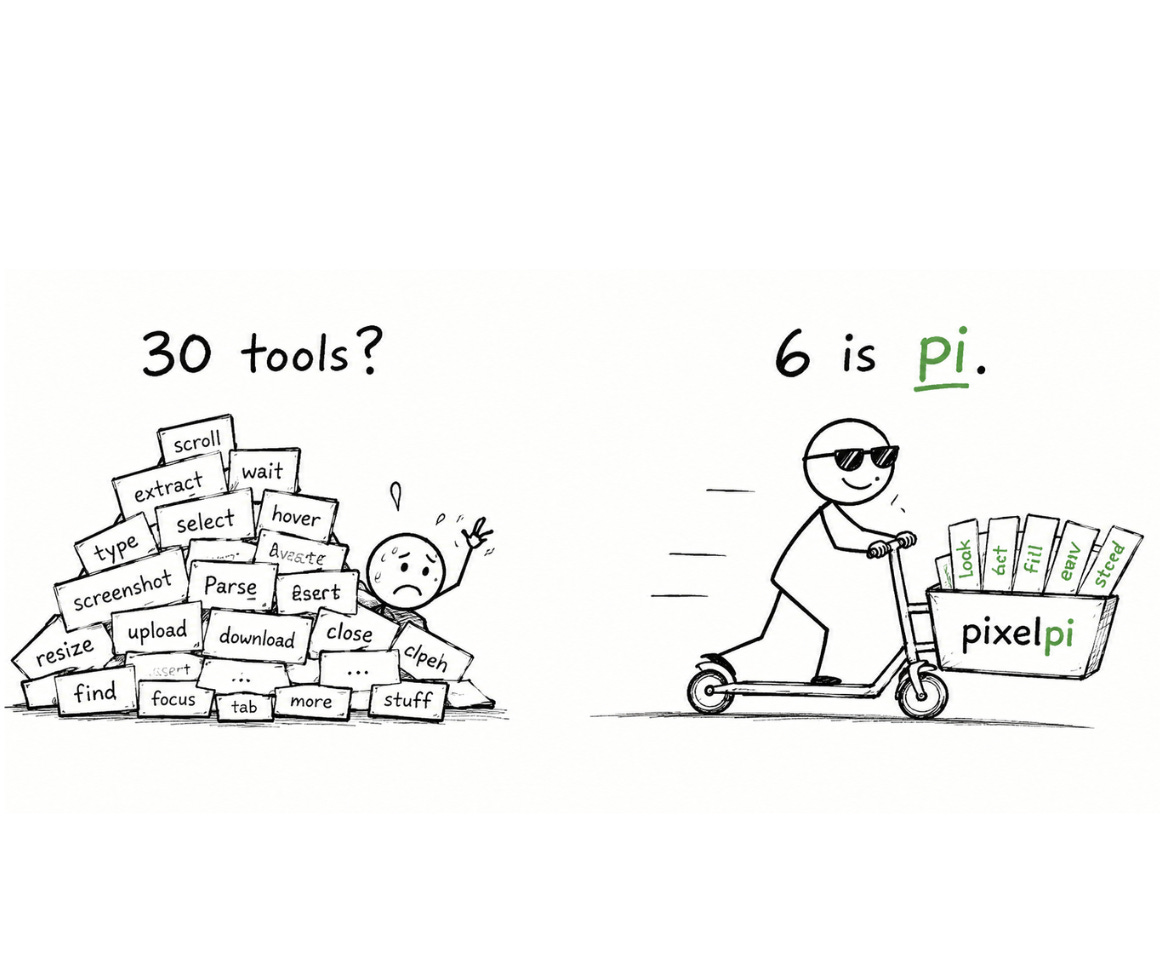
Does your browser need a harness too? (so I built one)
Why browser agents are over-built and what happens when you treat the browser like the computer it actually is.

I gave an AI agent a whole computer and it thrived. Then I watched the same caliber of model fail inside a browser. That gap bothered me enough to go build something.
The part nobody calls a computer!
Coding agents like claude code got good for a boring reason: the operating system was already their standard library.
Give a model the ability to read a file, write a file, and run a shell command, and it can do almost anything a developer can - because the shell reaches git, the network, the compiler, every tool already on the machine. The best minimal coding agents lean on exactly this. Four tools and a short prompt. That’s it.
The counterintuitive result is that the stripped-down agents often beat the ones muscled with fifty bespoke tools.
Here’s why. Arugably, the capability (now) lives in the model’s weights, and not so much in your scaffolding. (refer to the philosophy of pi harness).
Every tool you add is a line the model must read and reason about on every single step. So a fat toolset doesn’t expand what the agent can do - it taxes attention and crowds the decision.
A skilled cook doesn’t want a drawer of two hundred single-purpose gadgets. A knife, a pan, a source of heat. The competence is in the hands, not the hardware.
So the lesson from coding agents is: expose the environment’s real primitives, then get out of the way.
Then I looked at the browser
The browser is also a full computer. We just stopped seeing it as one.
It has an execution engine (JavaScript). It has memory (local storage, IndexedDB). It has a network stack, a renderer, a process model in the form of tabs. Anything you can do on a page, you can do programmatically from inside the page.
Yet most browser agents ship somewhere between twenty and sixty tools: click, type, scroll, hover, select, extract, screenshot, wait, navigate, and on and on. They are re-implementing the browser’s own standard library, one tool definition at a time, and then paying to ship that library to the model on every turn.
That’s the conventional wisdom I wanted to challenge. More tools, more coverage, more reliability. In practice it buys the opposite: a heavier prompt, a more confused model, and a harness that ages badly as the model underneath it gets smarter.
The token bonfire most agents walk into
To act on a page, the model first has to see it. There are two obvious ways to show it, and both are traps.
Hand it a screenshot, and you’re paying vision-model prices for every glance, then asking it to click at pixel coordinates that break the moment a layout shifts.
Hand it the raw HTML, and you’re dumping tens of thousands of tokens of <div> soup, ninety percent of which is styling and tracking noise.
There’s a third option the browser already built for you: the accessibility tree. It’s the structured view a screen reader uses - every meaningful element reduced to its role and its name. Button “Sign in.” Link “Pricing.” Textbox “Search.”
The raw HTML is the full, unedited transcript of a three-hour meeting. The accessibility tree is the minutes. The model needs the minutes.
The size difference isn’t subtle. On heavy modern sites I measured the pruned view coming in roughly twenty-eight to a hundred times smaller than the raw DOM. And it’s bounded - it stays small no matter how bloated the page is, because you cap how many elements you show. Raw HTML grows without limit as the page does.
You should care because both your cost and your reliability scale with what you stuff into the context window. A leaner view is a cheaper agent and a sharper one.
A harness that teaches itself
Here’s where it gets interesting, and where the “minimal” philosophy pays off twice.
Because the agent can run code and save things, it can write its own higher-level tools and keep them. Work out how to pull every listing off a job board once, and that logic gets stored as a reusable skill. Next time, it’s already there.
Better still: the expensive step in browser automation isn’t performing the click. It’s the model deciding which element to click. Cache that decision - the resolved intent, not just the result - and you can replay it later for almost no tokens at all.
It’s muscle memory. The first time you tie your shoes, every loop is deliberate and slow. The thousandth time, your hands do it while your mind is elsewhere. A good harness should let the agent move from deliberate to automatic on tasks it has seen before.
The harness ships as a seed, not a finished feature set. It grows toward whatever you actually do with it.
So I built one
I took these ideas and turned them into a small browser harness. A handful of primitives instead of a catalog. A prompt measured in hundreds of tokens, not thousands. JavaScript as the universal lever. The accessibility tree as the eyes. Trusted input underneath the clicks. And a way for the agent to write and remember its own skills.
I call it PixelPi, because that’s the whole intent - Pi for the browser, a harness between the model and the page. You should be looking through the harness at the web, not at the harness. It’s the opposite of a spaceship cockpit.
https://www.npmjs.com/package/pixelpi
I’ll be honest about where it stands. It’s young. Login walls, captchas, and aggressive bot detection are real and largely unsolved here. It is a sharp argument with working code behind it, not a polished product with a queue of users. I’d rather tell you that than oversell it.